How to Search Files & Folders from BKF Files?
Search Files from BKF Files
- After completely loading corrupt BKF file, you can search for particular files, pictures, emails, pdf, music, videos, word documents from corrupt BKF file.
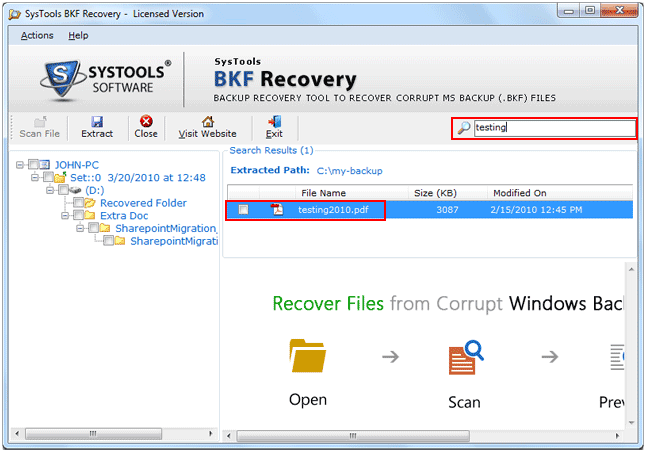
- Type the file name such as "mark or markemails", file type (*.html, *.txt etc) and click Search button as shown below:
Preview Contents of File
- After searching particular file with its file name and file type, SysTools BKF Repair presents list of files matching your search criteria as shown below:
- To view content of the found file, select file, right click the file then choose View File from popup menu just as shown below:
- After this SysTools BKF Repair will display the content of the file in its View Content
You may now extract corrupt BKF files using Extract File option in SysTools BKF Repair Software.